
Meta Box: WordPress custom fields plugin plans, from free to lifetime
What you get with Meta Box Lite, the yearly Basic and Ultimate bundles and the one-time Lifetime plan, and which one makes sense for a freelancer or an agency.
50% of our commission goes to the charity or club you pick.Change
Pick a charity and we'll give them 50% of our commission.


Meta Box codes & deals today
25% off Meta Box Lifetime bundles
Black Friday price on the Lifetime bundle: $224.30 (normally $299) for personal use or $524.30 (normally $699) for agency use, until November 30.
Shopping at Meta Box? See all current Meta Box promo codes and deals, checked regularly.
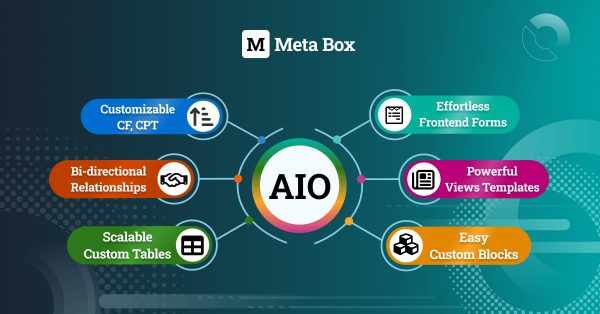
Meta Box is a WordPress framework for custom fields, custom post types and custom data. The company behind it started the project in 2010, and it's now a set of extensions plus an all-in-one plugin that handles custom fields, taxonomies, relationships, settings pages, custom tables, frontend forms, views templates and custom blocks. It's aimed at WordPress developers, freelancers and agencies building sites that need more structured content than posts and pages.
You can start for nothing: Meta Box Lite is free and covers the core framework, including custom post types, taxonomies and a UI for building fields. The paid bundles add the PRO extensions, such as MB Builder for drag-and-drop field groups, MB Conditional Logic, MB Group for repeatable fields and MB Settings Page. Every paid plan has a 14-day refund policy.
What's worth a look
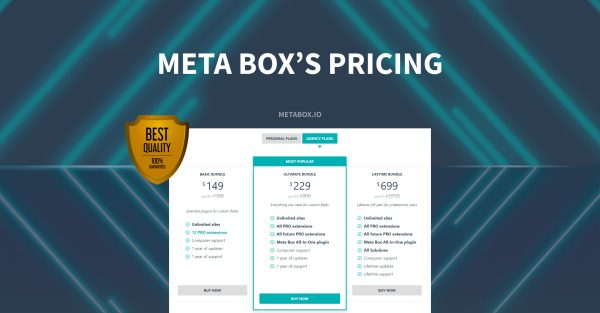
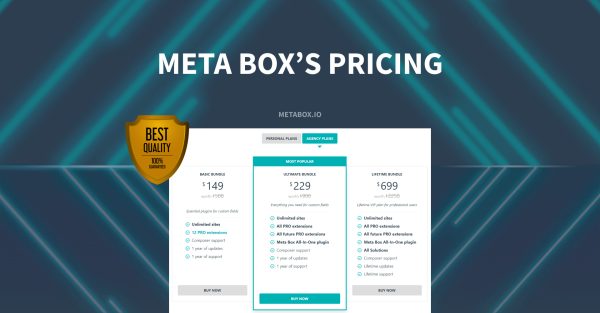
Meta Box sells its paid features as bundles, with Personal plans for your own sites and Agency plans with unlimited sites. These are the six on its pricing page.
 Basic Bundle (Personal)One site, 12 PRO extensions, a year of updates.$49 a yearView at Meta Box
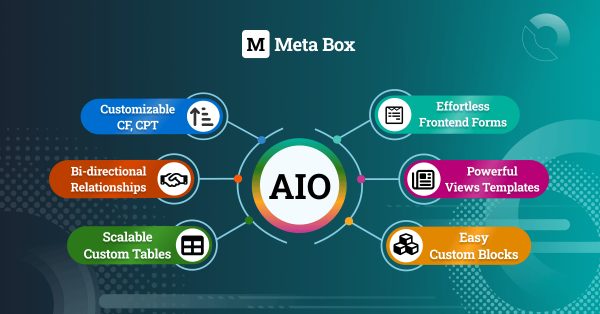 Ultimate Bundle (Personal)Three sites, all PRO extensions and Meta Box AIO.$99 a yearView at Meta Box
 Lifetime Bundle (Personal)One-time payment for three sites, lifetime updates.$299View at Meta Box
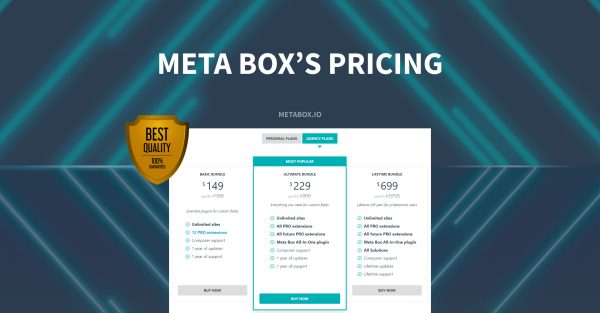 Basic Bundle (Agency)Unlimited sites with 12 PRO extensions.$149 a yearView at Meta Box
 Ultimate Bundle (Agency)Unlimited sites, every PRO extension and AIO.$229 a yearView at Meta Box
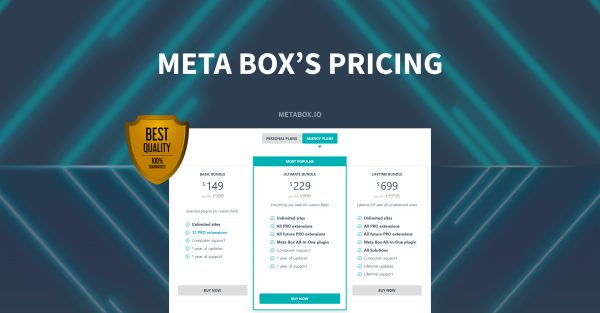 Lifetime Bundle (Agency)Unlimited sites, all Solutions, no renewal.$699View at Meta Box
For most single-site users the Ultimate Bundle is the one to look at, because it includes the Meta Box AIO plugin with every PRO extension, now and in future, for three sites. The Basic Bundle is cheaper but limits you to 12 PRO extensions on one site. If you build sites for clients, the Agency Lifetime Bundle costs more up front but has no renewal and adds the ready-made Solutions plugins such as MB Testimonials and MB User Avatar, which are only available on Lifetime licenses.
A quick way to choose: if you only run your own site and need repeatable groups, conditional fields or a settings page, Basic covers it. If you want custom tables, frontend forms, views templates or custom blocks, or you'll add features later, go for Ultimate, since it includes all future PRO extensions as well. Meta Box also works with page builders and plugins such as Elementor, Divi, FacetWP and Yoast SEO, and has a migration tool for sites moving over from ACF, Pods or Toolset.
Current offers
Outside of sales, the yearly plans renew at the regular price, so the figure you see is what you'll pay each year.
How to save more
- Try Meta Box Lite first. It's free, so you can check the framework suits your build before you pay for extensions.
- Do the sums on Lifetime. The Personal Lifetime Bundle costs about three years of the Ultimate Bundle and never renews, so it pays off if you'll use Meta Box for longer than that.
- Hosting providers, SaaS companies and businesses that want to bundle Meta Box into their own products aren't covered by the standard plans. Meta Box asks them to get in touch for custom pricing and volume discounts.
Products, prices and offers checked on the store's own website on 5 Nov 2026. Prices and stock can change.
Ad: affiliate links. If you buy through links in this article we may earn a commission, at no cost to you. Meta Box didn't pay for this article or check it before we published it. How we make money.
The Thursday email
Every Thursday: the best codes from the brands you shop at. After you sign up, pick your brands and whether you want codes, hot deals, free delivery or student offers. No spam, unsubscribe in one click.
Keep reading


Moosend: email marketing, automation and landing pages with a 30-day trial
Moosend bundles email campaigns, automation, landing pages and sign-up forms into one platform, and you can try it free for 30 days without a credit card.
Promo Magpie team

Parallels: run Windows on your Mac, with 50% off Pro for students
Parallels Desktop lets you run Windows and Linux on a Mac. Try it free for 14 days, and students and educators get half off the Pro Edition.
Promo Magpie team

Weblium: a free website builder with 300+ templates and low-cost paid plans
Weblium is a no-code website builder with a free plan, 300+ free templates and Starter and Business plans that you can try free for 14 days.
Promo Magpie team